

streams-create permission, and (for token streams) that the creating wallet already holds enough reward token to cover the total plus the creation fee. See Before you start.
Choosing a reward model
Create from the API
Create from the Client Portal
Open the Client Portal and connect your wallet
Start a new stream
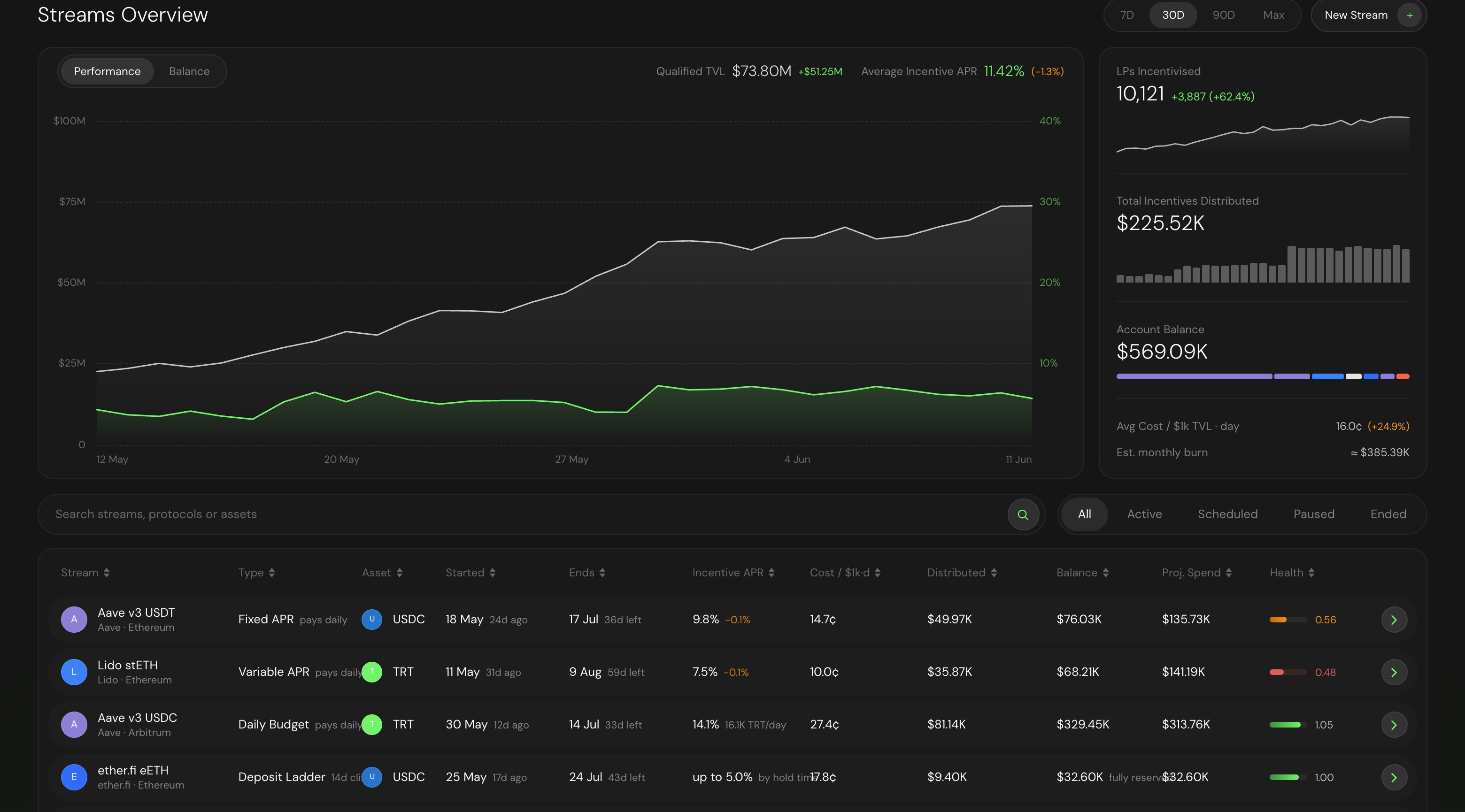
The Streams overview — start a new stream from the top right.
Choose your reward base and reward type
- Tokens: pays a real ERC-20 on-chain. Budgets and rates read in dollars. The token must be an allowlisted reward token on a supported chain.
- Points: pays units of a points program — amounts read in points and can convert to tokens at a future TGE. Point streams are created instantly, with no on-chain transaction, no funding, and no creation fee.
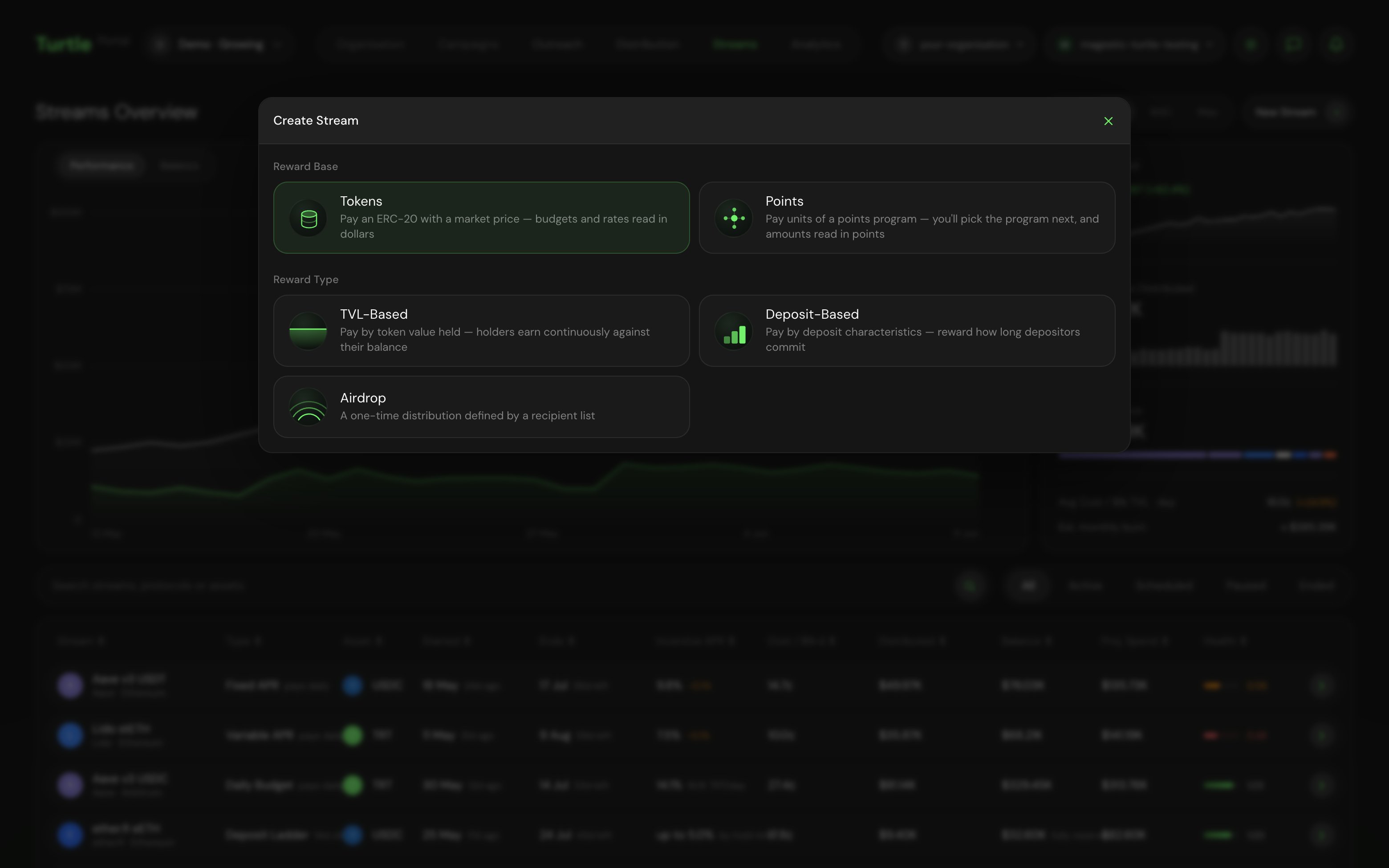
Reward base and reward type — the first two choices of every stream.
Select a mechanic
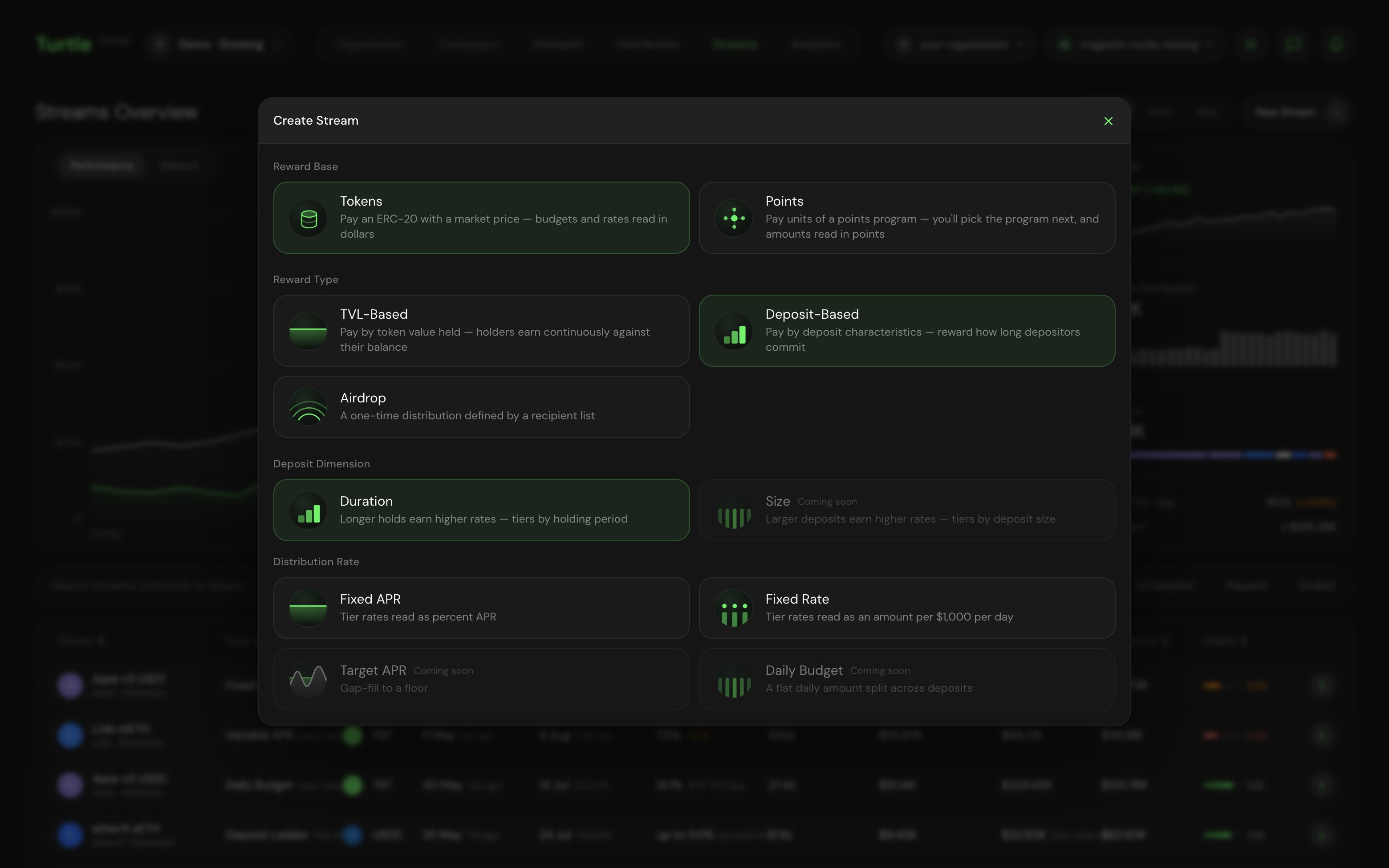
Mechanic selection for a deposit-based stream: the deposit dimension, then how tier rates read.
Select the target and the reward asset
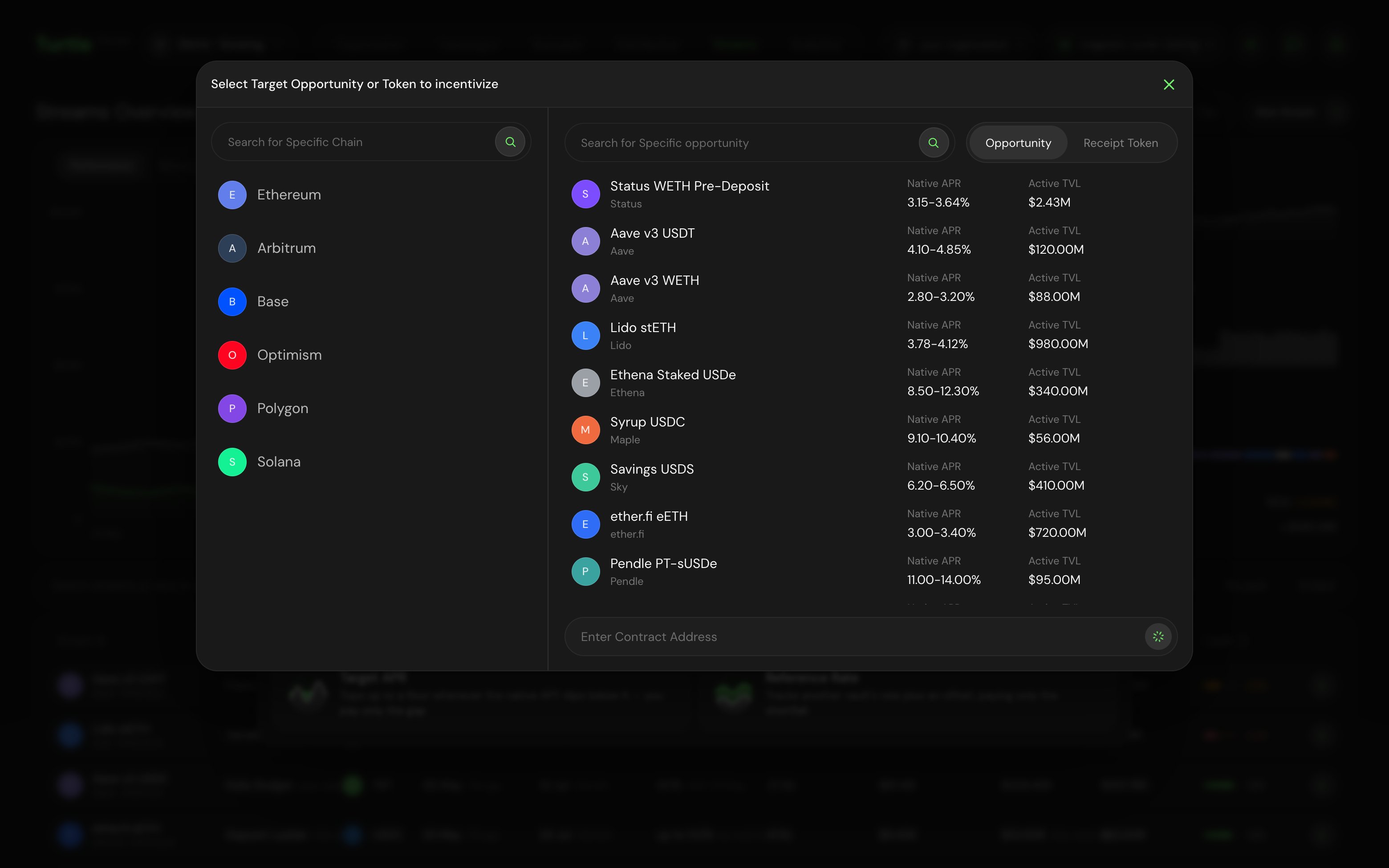
The target picker: browse opportunities by chain, or paste a contract address.
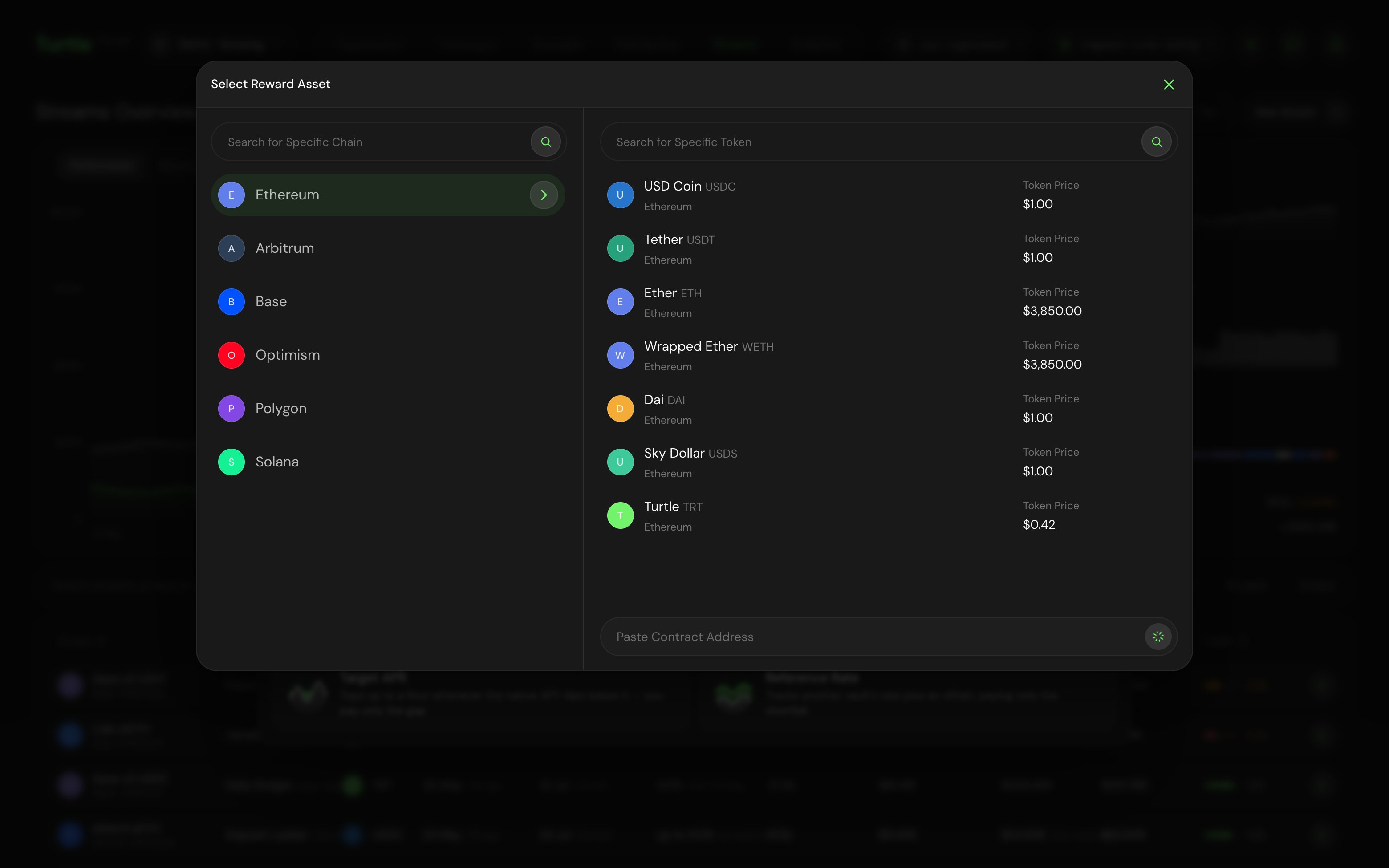
The reward asset picker: allowlisted tokens by chain, with prices.
Configure the rate, budget, and duration
- Rate: the headline number for your mechanic — an APR, tokens per $1k per day, a daily budget, a target APR, or per-tier rates.
- Estimated TVL: the TVL you expect to incentivise. Derived figures — the estimated stream cost and the implied reward APR — are computed from it and marked as estimates.
- Duration: how long the stream runs. Start and end dates are set on the review step.
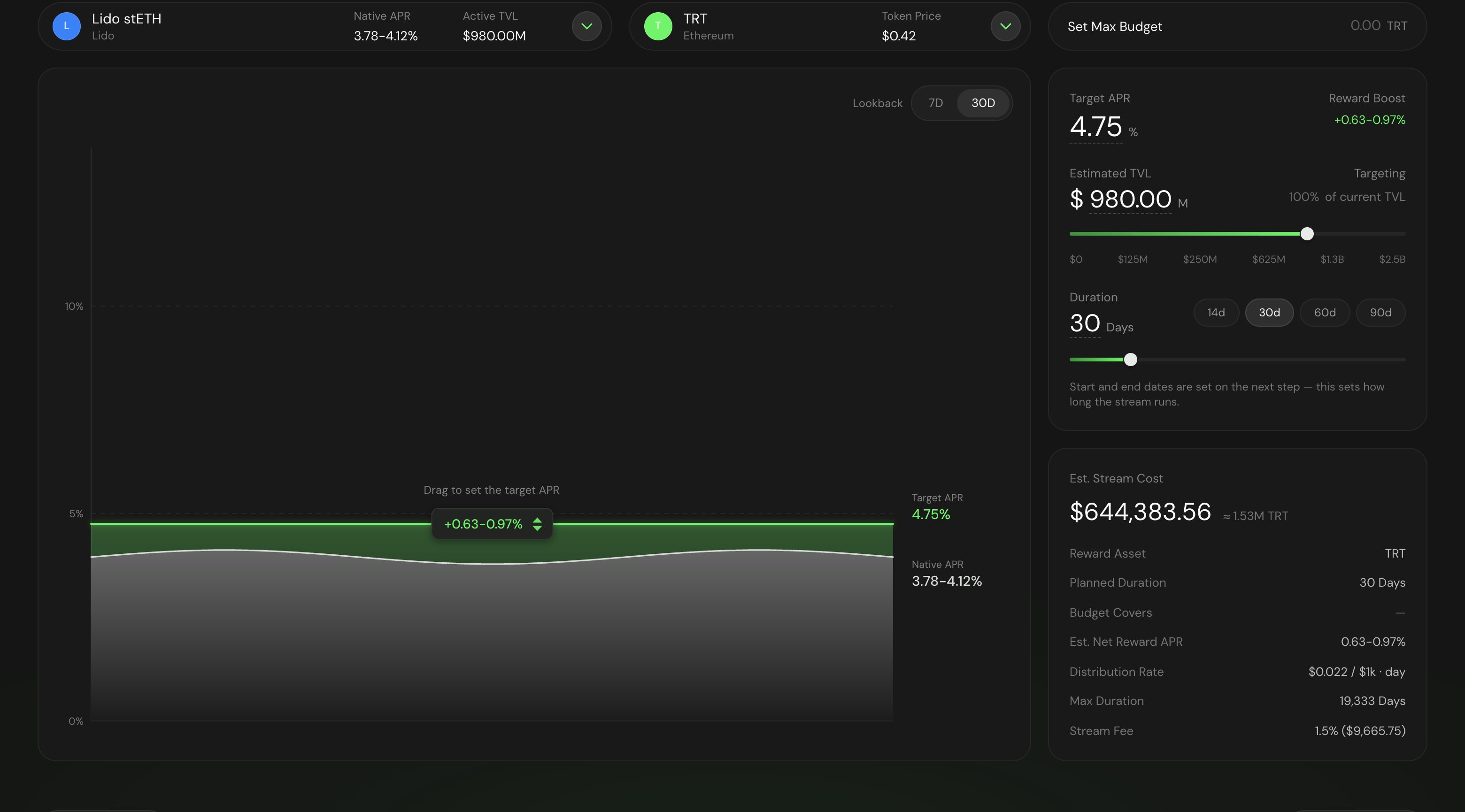
Configuring a Target APR stream: the rate, estimated TVL, duration, and the estimated stream cost.
Review: schedule, eligibility, restrictions, and bonuses
- Eligibility: who can earn, by deposit route — All Deposits, Turtle Only (deposits made through the Turtle UI or any Turtle distributor), or Select Distributors (only deposits routed through distributors you choose).
- Whitelist: restrict to tagged wallets, or upload a CSV list. A whitelist and a blacklist can be active at the same time — the whitelist scopes who can earn, and blacklisted wallets never earn even if whitelisted.
- Blacklist: OFAC Sanctioned Wallets (flagged by the Chainalysis Sanctions Oracle) are excluded by default; add Blocked Tags or upload a CSV list to exclude more.
- Bonuses: percentage boosts on top of the earned rate — linked X account, linked Telegram account, Referral, and Asset-Holding Bonus.
- Reward Forwarding (Advanced): redirect the stream’s earned rewards to another address — for example, forwarding rewards earned by a vault address through to the vault’s underlying LPs.
- Spend Caps: an optional Max Budget (a hard cap on total rewards — the stream ends early once fully spent) and, for TVL-based streams, an optional Daily Cap (daily spend never exceeds it, even if TVL grows past the estimate).
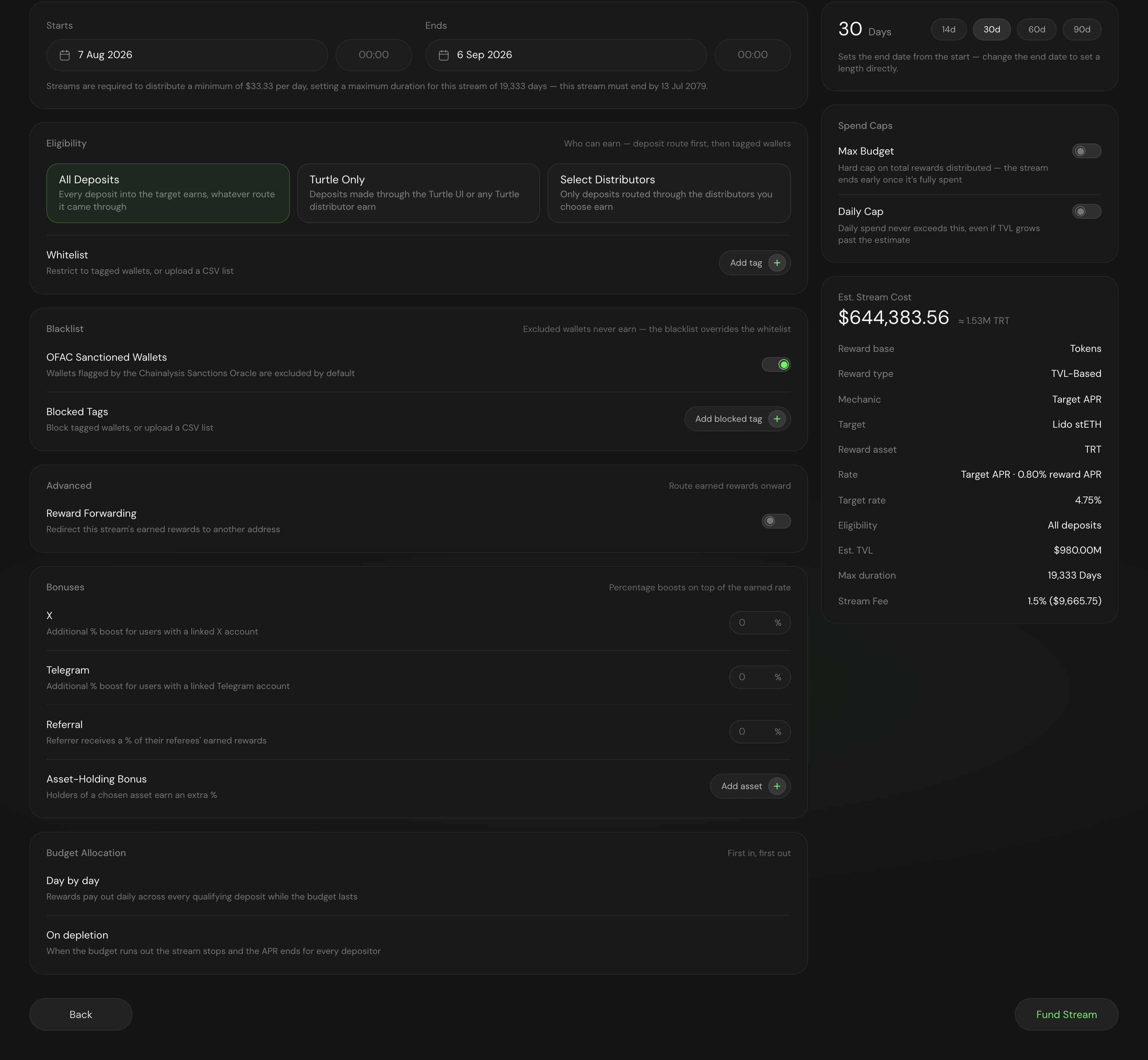
The final configuration: schedule, eligibility, restrictions, bonuses, spend caps, and the stream summary.
Fund the stream
createStream transaction — the Turtle backend issues a signature and your wallet submits the transaction to the StreamFactory. Funding and launching are a single action; streams are fully collateralized at creation, with all funds to be distributed added upfront. Point streams skip the on-chain step and are created immediately.Confirmation
Launching from a multisig (Safe)
If the creating wallet is a Safe, create the stream through the API rather than signing in the browser. Call Create a stream to obtain the signedtxParams, then submit the reward token approval and the createStream call from the Safe Transaction Builder to the StreamFactory for your chain.
The submitting Safe must match the expected sender encoded in the signed params, or the transaction will revert. Contract addresses and the full broadcast walkthrough are in Create a stream.