

1
Submit a deal proposal
Specify the integration details, deal diligence, emission token rate, and campaign duration.
2
Turtle reviews
The Turtle team reviews the proposal including diligence on the protocol and vault safety.
3
Deal goes live
Once approved, the deal appears as an opportunity in the Turtle app. Members can start depositing.
4
Track performance
Monitor real-time metrics in the dashboard (deposits, TVL, wallet counts) throughout the deal period.
Monitor performance
The Liquidity Campaigns dashboard shows how your live liquidity campaign is performing: Turtle member deposits, unique wallet counts, and the attributed TVL deployed in your protocol over time.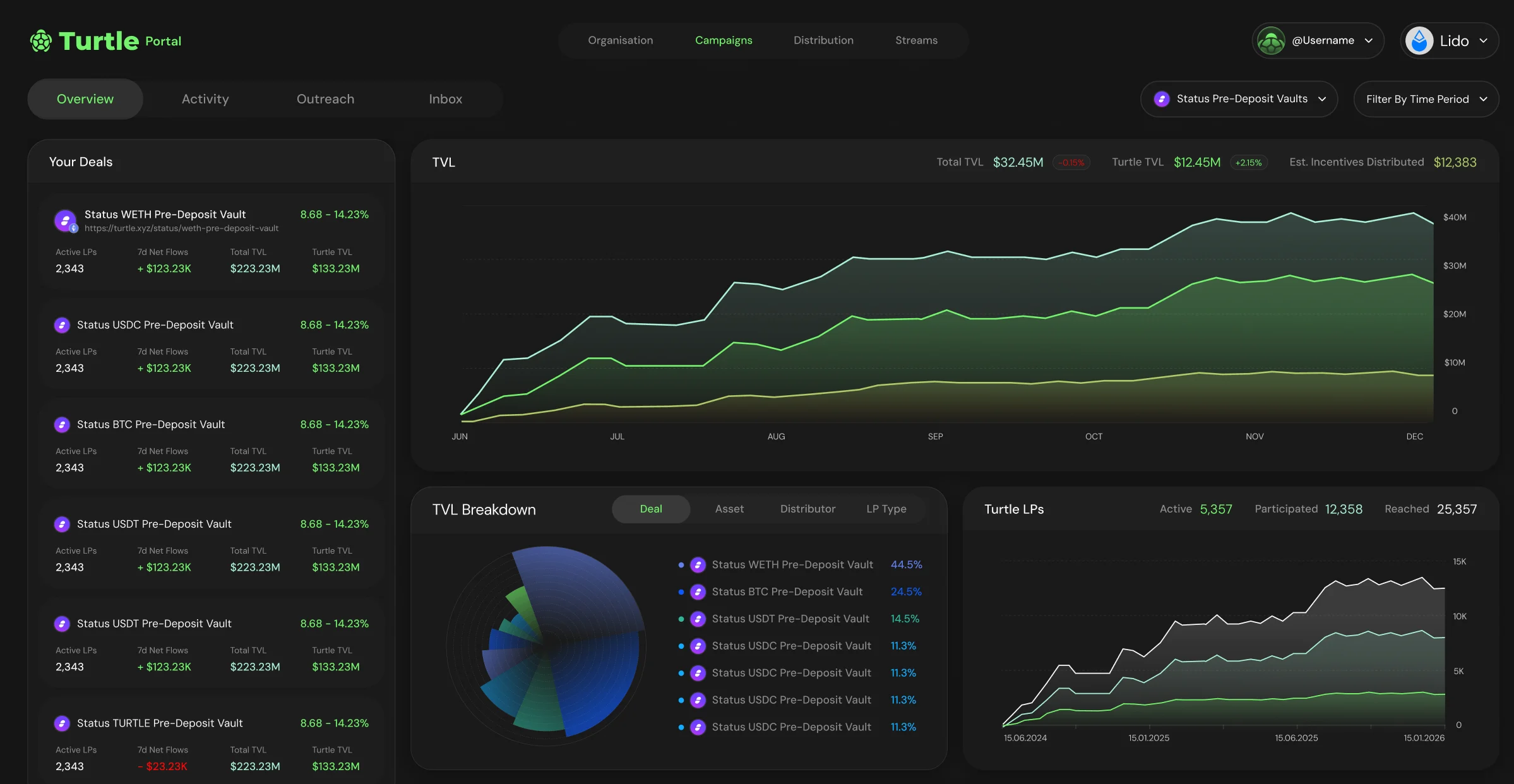
- Deposits and member activity: deposits and withdrawals from Turtle members attributed to the liquidity campaign.
- Unique wallets: how many distinct wallets have contributed liquidity.
- Attributed TVL: the Turtle-attributed liquidity deployed in your protocol, tracked over the life of the liquidity campaign.